go
sr, err := client.Schema.List(context.Background(), &v1.SchemaListRequest{
TenantId: "t1",
PageSize: 20,
ContinuousToken: "",
})let res = client.schema.list({
tenantId: "t1",
continuousToken: ""
})curl --location --request POST 'localhost:3476/v1/tenants/{tenant_id}/schemas/list' \
--header 'Content-Type: application/json' \
--data-raw '{
"page_size": 20,
"continuous_token": ""
}'{
"head": "<string>",
"schemas": [
{
"version": "<string>",
"created_at": "<string>"
}
],
"continuous_token": "<string>"
}{
"code": 123,
"message": "<string>",
"details": [
{
"@type": "<string>"
}
]
}Schema Service
List Schema
POST
/
v1
/
tenants
/
{tenant_id}
/
schemas
/
list
go
sr, err := client.Schema.List(context.Background(), &v1.SchemaListRequest{
TenantId: "t1",
PageSize: 20,
ContinuousToken: "",
})let res = client.schema.list({
tenantId: "t1",
continuousToken: ""
})curl --location --request POST 'localhost:3476/v1/tenants/{tenant_id}/schemas/list' \
--header 'Content-Type: application/json' \
--data-raw '{
"page_size": 20,
"continuous_token": ""
}'{
"head": "<string>",
"schemas": [
{
"version": "<string>",
"created_at": "<string>"
}
],
"continuous_token": "<string>"
}{
"code": 123,
"message": "<string>",
"details": [
{
"@type": "<string>"
}
]
}Models written to Permify using the write schema API can be listed using this API with the timestamps at which the models were created.
Request needs to be made to the API endpoint /v1/tenants//schemas/list to list all the models.
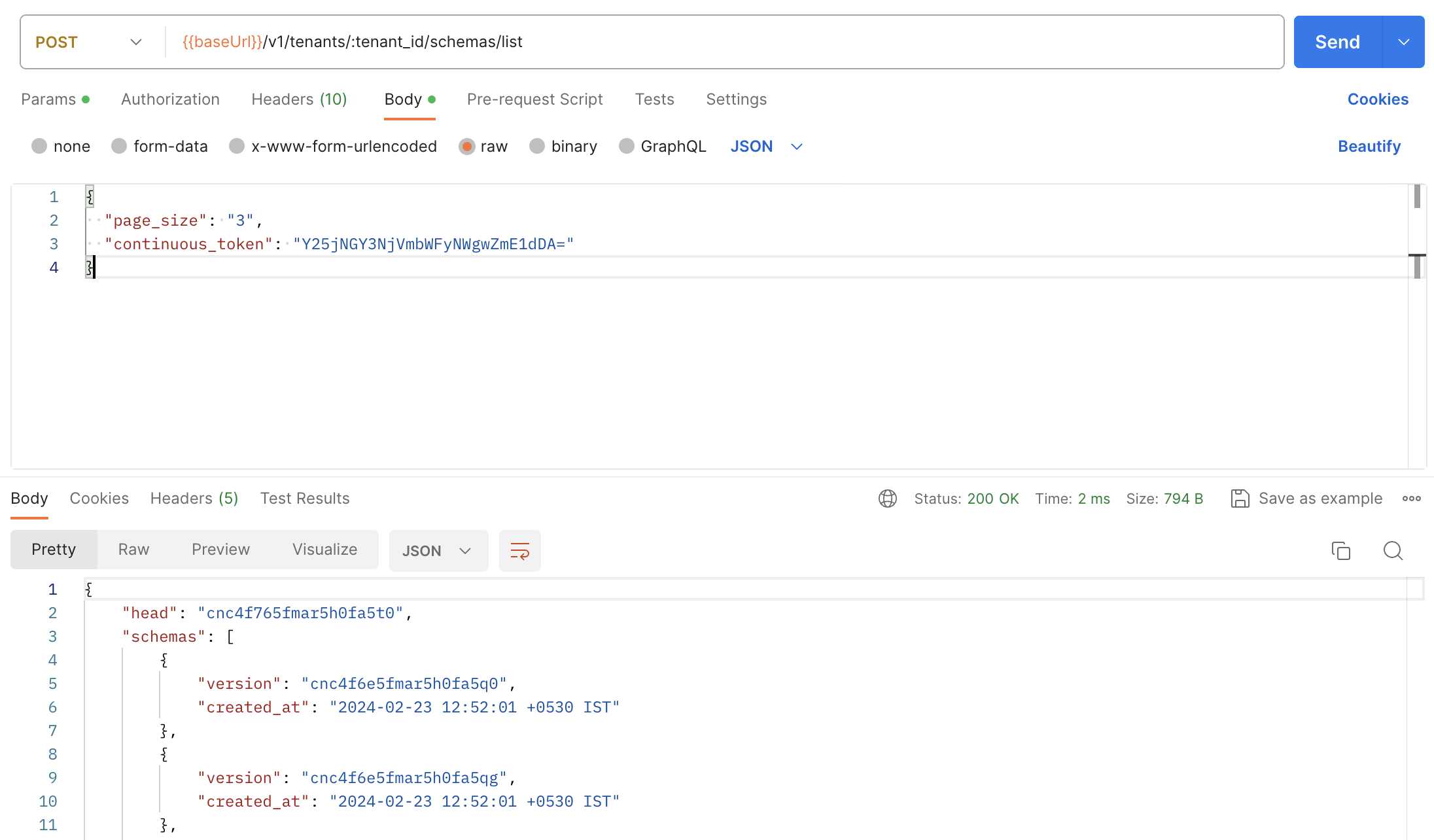
Example Request on Postman
POST/v1/tenants/{tenant_id}/schemas/list
Path Parameters
Body
application/json
SchemaListRequest is the request message for the List method in the Schema service. It contains tenant_id for which the schemas are to be listed.